
Use Standard > Export Machine File to export the current design to a machine file for stitching.

Use Docker > Exports to view the export status of the current session. Conversion to older formats or machine file is performed as a background task.
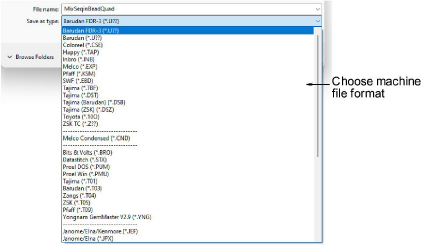
Converting an open design to machine file format is as simple as clicking the Export Machine File button or choosing the command from the File menu. EmbroideryStudio reads and converts all popular formats. Designs originally created in EmbroideryStudio generally give the best results. Other file types may not have all the data necessary for successful conversion.
3For older machines, you can also save designs to proprietary embroidery disk.
3If a design feature is not available in the file type you select, it will be converted – e.g. Flexi Split stitching may be changed to plain Tatami.
3The Exports docker opens whenever a design is converted to machine file or saved as an earlier EMB design file. This shows you the export status of the current session. Machine file export is performed as a background task.

3Output selected designs to multiple formats
3Send designs to machine via Connection Manager
Products
EmbroideryStudio Add-ons
Solutions
Learning
Support
Connect
About Wilcom
