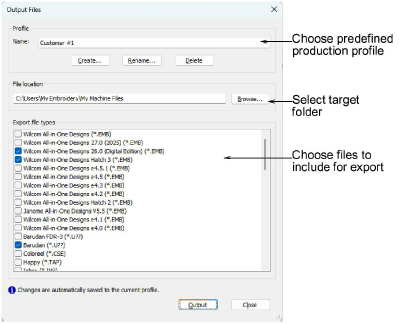
Output selected designs to multiple formats
By default EmbroideryStudio saves designs to its native EMB format. This contains all information necessary both for stitching a design and for later modification. The Output Files tool prepares production-ready outputs from your design in one step using a saved output profile. A profile can include:
3Machine files: one or more formats – e.g. DST, PES, EXP.
3Design files: one or more EMB file formats. These may include formats used by customers.
Set a target destination in the profile or choose at run time.
Note: From Design Explorer you can batch-convert multiple selected designs to multiple machine file formats – DST, EXP, SEW, etc.
Related topics...
3Output current design to multiple formats
3Machine Formats