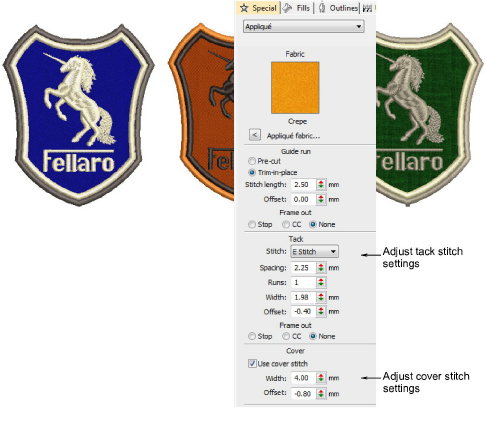
Automatically create all the stitching you need for appliqué using the Appliqué tool. When you digitize an object with Appliqué, the guide run, tacking and cover stitches are automatically generated using the current Appliqué settings. The Object Properties > Special > Appliqué tab lets you produce the stitching you require for appliqué objects.
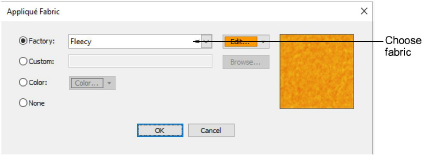
EmbroideryStudio lets you select a fabric swatch for appliqué objects. The swatch becomes a property of the object. Choose from amongst the included ‘factory’ swatches or choose a scanned sample of the fabric you want to use.
|
Copyright ©2023 Wilcom Pty Ltd | Terms of Use | Privacy Policy |