The CSD Save Options allows you to select between CSD Type I and Type II.
1Select File > Export Machine File. The Export Design dialog opens.
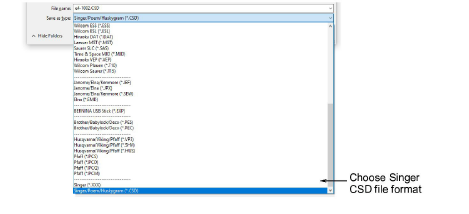
2Select CSD from the Files of Type list.
3In the File name field, enter a name for the design.
4Click Options. The Save Options dialog opens.

5Select the required CSD file type option.
Type II was introduced in CS 1.2B software for the POEM machine.
Type II is also used by the Singer EU software for the POEM machine.
Type II files also store thread color RGB values and an icon of the design.
6Click OK and then Save.
|
Copyright ©2023 Wilcom Pty Ltd | Terms of Use | Privacy Policy |