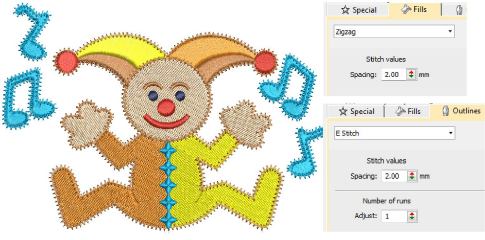
Use Fills > Zigzag to create fills with an open ‘sawtooth’ effect. Right-click for settings.

Use Fills > E Stitch to create fills with an open ‘comb’ effect. Right-click for settings.

Click Outlines > Zigzag to create open borders or columns of even width for an open ‘sawtooth’ effect. Right-click for settings.

Use Outlines > E Stitch to create open borders or columns of even width for an open ‘comb’ effect. Right-click for settings.