
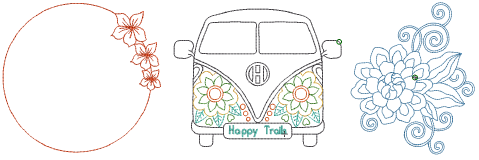
Use Traditional Digitizing > Redwork to automatically sequence and group selected embroidery objects to create a redwork object with its entry and exit points at the same position.
|
|
Use Traditional Digitizing > Redwork to automatically sequence and group selected embroidery objects to create a redwork object with its entry and exit points at the same position. |
Redwork is a popular hand-embroidery style that uses simple outline stitches – typically in red, but also black, blue, or green. The new Redwork tool allows you to create this style digitally. With one click, objects are sequenced and grouped to replicate the charm of hand stitching.
3Quickly create redwork embroidery without manual sequencing
3Maintain an authentic hand-stitched look
3Flexible editing options with break-apart functionality
3Compatibility ensured across software versions
3One-click conversion: Convert selected objects into redwork with entry and exit points automatically aligned.
3Hand-embroidery stitch support: Use Single Run, Triple Run, Backstitch, and Stemstitch for authentic results.
3Unique object type: Redwork objects appear in the Color-Object List with their own unique icon (matching the Redwork tool icon).
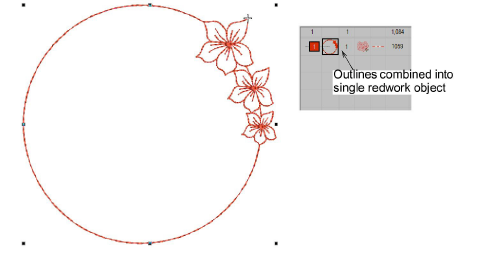
3Reshape mode: Entry and exit points move together, maintaining stitch continuity.
3Break apart: Redwork objects can be broken into branched objects, and further into component objects for detailed editing.
3Compatibility: When saving into earlier versions of EmbroideryStudio, redwork objects are automatically converted into branched objects.
3Traditional Digitizing toolbar
3Arrange dropdown menu
3Arrange Tools flyout toolbar
3Shortcut: Alt+I
Products
EmbroideryStudio Add-ons
Solutions
Learning
Support
Connect
About Wilcom
