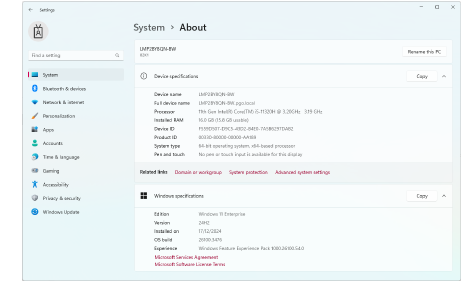
Check your CPU (processor) and RAM specifications, and the version of Windows you are running, to ensure they meet EmbroideryStudio 2026 requirements. We recommend updating to Windows® 11 (64-bit edition) with latest updates installed. You will, however, need to uninstall any earlier versions of CorelDRAW® Graphics Suite. For latest operating system information, visit the Wilcom Support Center at help.wilcom.com.
1Go to MS Windows® Settings and open the About tab.
2Check the Windows version, the CPU and the amount of RAM.
Products
EmbroideryStudio Add-ons
Solutions
Learning
Support
Connect
About Wilcom
