
Use Standard > Send to Device/Machine to send the current design to a named embroidery machine via WLAN.
|
|
Use Standard > Send to Device/Machine to send the current design to a named embroidery machine via WLAN. |
Once you have configured one or more embroidery machines on your network, you can send designs to any named device from a computer running EmbroideryStudio on your local Wi-Fi network. No USB drives, no manual file copying – just send your designs straight from computer to machine over WLAN.
Note: Every design sent over the network is protected with industry-standard encryption, ensuring your work stays safe during transfer. Only machines configured in EmbroideryHub can receive your designs.
1Open EmbroideryStudio and prepare your design.
2Make sure EmbroideryHub is running and that any devices on the network have been properly configured.
Note: The EmbroideryHub PC must be connected to the same local Wi-Fi network as any connected devices.
3From the Standard toolbar, choose Send to Device/Machine. Alternatively, select the command from the File menu. The dialog will display a list of configured devices. Both connected and disconnected devices will be listed.
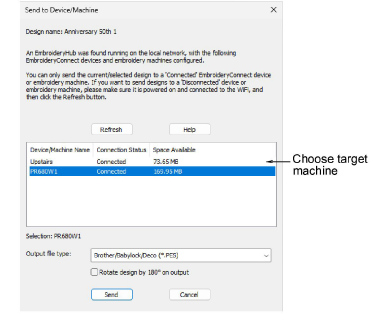
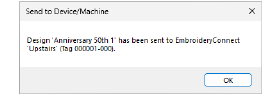
4Select the target machine from the list and click Send. The design will be automatically converted to the selected machine file format and sent to machine.
It will appear on the machine’s screen after loading.
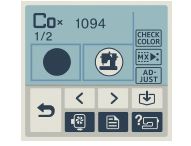
Note: When a design is sent to machine, it is assigned a a random name, not the EMB file name.
Products
EmbroideryStudio Add-ons
Solutions
Learning
Support
Connect
About Wilcom
