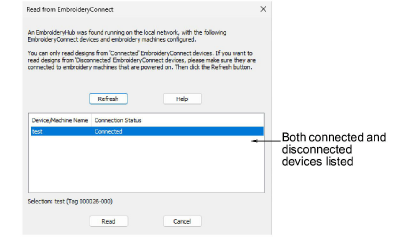
Once you have configured one or more embroidery machines on your local Wi-Fi network, you can read designs from any named EC device from a computer running EmbroideryStudio.
1Make sure EmbroideryHub is running and that any devices on the network have been properly configured.
Note: The EmbroideryHub PC must be connected to the same local Wi-Fi network as any connected devices.
2Open EmbroideryStudio.
3From the File menu, choose Read from EmbroideryConnect. The dialog will display a list of configured devices. Both connected and disconnected devices are listed.
4Select the device you want to interrogate and click Read. The EmbroideryConnect File Explorer dialog opens listing the designs currently stored on the EC device.
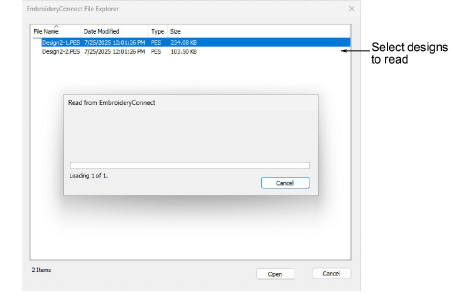
5Select the design you want to read, and click Open. The selected design is read and opened in EmbroideryStudio.
Products
EmbroideryStudio Add-ons
Solutions
Learning
Support
Connect
About Wilcom
