Sequin Embroidery
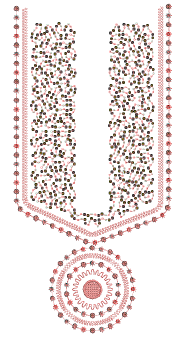 The sequin capability in EmbroideryStudio provides digitizers with the tools to create professional sequin embellishments for embroidery machines equipped with sequin-dropping devices. These specialized machines can automatically position and attach sequins to a garment during stitching, creating dazzling decorative effects.
EmbroideryStudio supports this process by allowing users to digitize sequin designs directly, with full control over size, shape, color, and placement. It also includes automatic tools that can convert sequin artwork into precise sequin runs. This ensures that digitized designs align with machine-specific requirements and sequin feed configurations.
Because machine capabilities vary – from simple single-sequin setups to advanced multi-sequin systems – EmbroideryStudio provides flexible configuration options. Users can select sequin-capable machine formats such as Barudan, Dahao, Tajima, SWF, and others, then set up a custom sequin palette reflecting the available devices and sequin types. The software intelligently handles aspects like sequin stacking, fixing stitch placement, and feeding direction to match each machine’s protocol.
This section describes how to set up sequin palettes and how to visualize sequin designs. It explains how to create single-sequin as well as multi-sequin runs. It also covers sequin fixings as well as reshaping and editing.
Related topics...
3Setting up for sequin digitizing
3Visualizing sequin designs
3Creating sequin runs
3Sequin fixings
3Creating multi-sequin runs
