
Use Manage Designs > Export Design List to export selected files to Tab and CSV (Comma Separated Value) formats suitable for use by most spreadsheets.
|
|
Use Manage Designs > Export Design List to export selected files to Tab and CSV (Comma Separated Value) formats suitable for use by most spreadsheets. |
The Export Design List option can be used to print design lists for selected folders. This option allows you to create a simple design report which can easily be imported into a spreadsheet. You may want to use this in order to manage designs by file name.
1Preset the measurement units you want to use – metric or U.S.

2Open the Design Explorer and select a design folder.
3Sort and filter the designs to export.
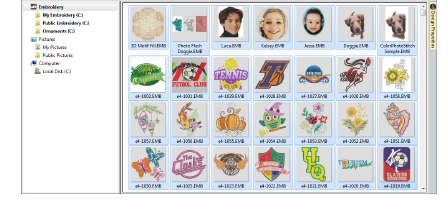
4Select all files to include in the export list.
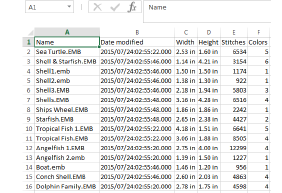
5Click the Export Design List icon and choose a location to save the list. Choose whether to save as a tab-delimited or comma-separated text file.
6Open the text file in a spreadsheet for further sorting and printing.
Tip: Designers frequently want to distribute designs for viewing in real colors, in TrueView or otherwise, with or without fabric backgrounds. Screen images can be captured in PNG format and send as email attachments.
Products
EmbroideryStudio Add-ons
Solutions
Learning
Support
Connect
About Wilcom
