
Use Mode > Design Explorer to search for and catalogue designs as well as quotes, orders, and approvals.

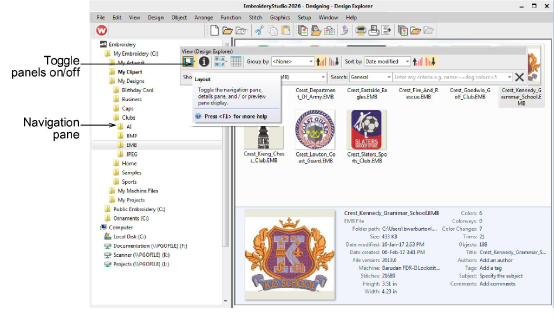
Use View > Layout to toggle navigation pane, details pane, and/or preview pane display.
|
|
Use Mode > Design Explorer to search for and catalogue designs as well as quotes, orders, and approvals. |
|
|
Use View > Layout to toggle navigation pane, details pane, and/or preview pane display. |
Navigating to design folders with Design Explorer is similar to browsing with File Explorer. Your access to design folders on your local network is only limited by access rights determined by your System Administrator. View any supported file type residing in design folders. Designs can be searched, sorted, grouped, and browsed by customer or order. Click the Design Explorer icon on the Mode toolbar. Design Explorer opens in its own window.
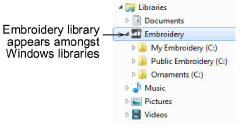
Design Explorer is a ‘virtual library’ in that any designs on your system can be located and displayed within the browser window. This folder acts as a container which appears in File Explorer amongst your other Windows libraries.
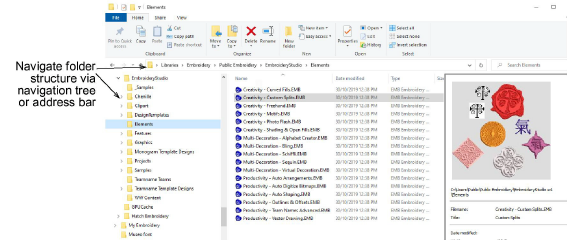
You can add folders both in File Explorer and in the Design Explorer itself. The initial folder structure is created by your installation. However, any folders on your local network which contain embroidery designs or artwork can potentially be included and viewed in Design Explorer.
Tip: Like File Explorer, the Design Explorer display can be refreshed with a simple F5 keypress.
3View designs in zipped folders
Products
EmbroideryStudio Add-ons
Solutions
Learning
Support
Connect
About Wilcom
