
Use Reshape > Reshape to transform individual letters on screen.
|
|
Use Reshape > Reshape to transform individual letters on screen. |
You can transform individual letters by manipulating control points on screen with the Reshape tool.
1Select the lettering object and click Reshape.
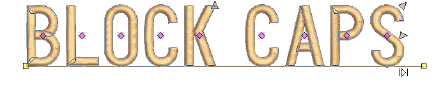
2Click the diamond control point. Another set of reshape nodes appear around the letter.
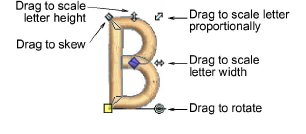
3Click-and-drag a reshape node around the letter to transform it.
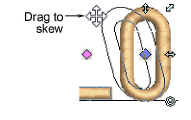
4Press Esc to finish.

Products
EmbroideryStudio Add-ons
Solutions
Learning
Support
Connect
About Wilcom
