
Click Styles > Make Properties Current to make the properties of a selected object current for the design.

Use Styles > Apply Current Properties to apply current settings to selected objects.
|
|
Click Styles > Make Properties Current to make the properties of a selected object current for the design. |
|
|
Use Styles > Apply Current Properties to apply current settings to selected objects. |
You can make a selected object’s ‘actual’ properties ‘current’ for all new objects or apply them to existing objects.
1Select the object whose properties you want to make current.
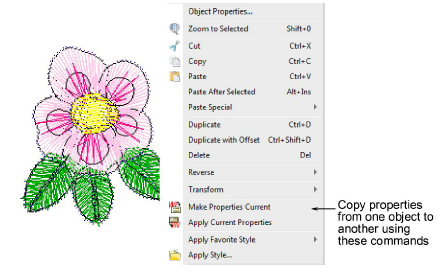
2Click the Make Properties Current icon. Alternatively, right-click the selected object and choose the Make Properties Current command in the popup menu.
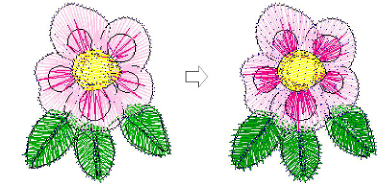
3Select the object/s whose properties you want to change.
4Click the Apply Current Properties icon. Alternatively, right-click the selected object and choose the Apply Current Properties command in the popup menu.
Products
EmbroideryStudio Add-ons
Solutions
Learning
Support
Connect
About Wilcom
