
Use Traditional Digitizing > Redwork to automatically sequence and group selected embroidery objects to create a redwork object with its entry and exit points at the same position.
|
|
Use Traditional Digitizing > Redwork to automatically sequence and group selected embroidery objects to create a redwork object with its entry and exit points at the same position. |
The Redwork tool allows you to create realistic redwork similar to what can be achieved with hand embroidery. Redwork is created with outline stitches, no filled objects. The most common stitch types used to create a hand-embroidery look are Single Run, Triple Run, Backstitch and Stemstitch. Similar to Branching, the one-click Redwork tool creates two stitching passes.
1Digitize your outlines making sure they touch or cross over. The order doesn’t matter.
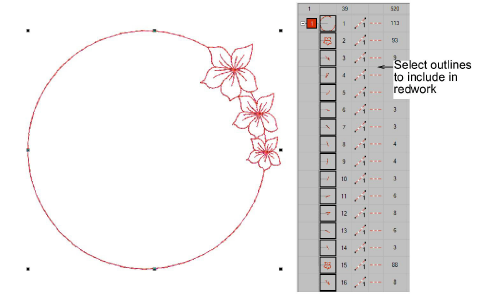
2Select the outlines and click the Redwork tool.
3Click where you want the stitching to start.
3It will end at this same location after stitching two passes of each outline.
3The Prompt Bar will guide you: ‘Click once for the entry/exit point or press <Enter> to place the point automatically.’
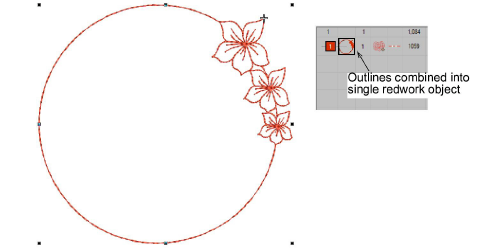
3Object appearance does not change but redwork objects appear in the Color-Object List as a single ‘redwork object’ with their own unique icon.
3Redwork is designed to replicate the look and feel of hand embroidery. The most common stitch types used are: Single Run, Triple Run, Backstitch, Stemstitch.
3Whichever stitch type you choose will applied in the last pass. The first pass will always be a single run.
3If lines are not touching or crossing, you may have more than one run.
3If your redwork includes multiple colors, apply Redwork to each color in turn.
3If you are working with a design that includes filled objects, use the Branching feature in preference to Redwork, or a combination of both.
3Sometimes you may want to turn off ‘closest join’ as this can override the start position. It may even give you more than two passes in some instances.
3After you finish, turn off TrueView to double-check there are no jump stitches.
3If you save a design containing redwork objects to a previous version of EmbroideryStudio, all redwork objects are automatically converted to branching objects for compatibility. This ensures your design can still be opened and edited in earlier software versions.
Products
EmbroideryStudio Add-ons
Solutions
Learning
Support
Connect
About Wilcom
