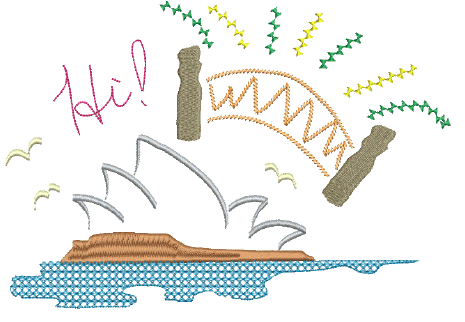
Embroidery is not just about precision – it’s also about creativity, texture, and expression. Beyond standard digitizing methods, EmbroideryStudio offers a wide range of specialty stitching tools and effects designed to mimic hand embroidery, introduce natural and organic textures, and add unique decorative finishes. These help you achieve results that look hand-crafted, artistic, or simply more visually interesting. Whether you want to create delicate freehand outlines, textured fills, gradient blends, or even simulate traditional techniques like cross stitch and chenille, EmbroideryStudio has the tools to bring your creative ideas to life.
Specialty stitch effects covered in this section include:
|
Feature |
Overview |
|
|
|
Freehand |
Create designs with a hand-drawn appearance, something which is difficult to achieve through conventional digitizing methods. |
|
|
Hand Stitch |
Create hand-stitch effects which combine randomized stitch length, angle and count. |
|
|
Redwork |
Sequence and group selected embroidery objects to create a redwork object with its entry and exit points at the same position. |
|
|
Jagged Edge |
Create rough edges, shading effects, or imitate fur and other fluffy textures. |
|
|
Stipple |
Create textured fills of run stitching which meanders more or less randomly within a border. |
|
|
Maze Fill |
Create maze-like stitching which follows object contours for open fills. |
|
|
String |
Create craftstitch fills as well as delicate borders. Can be used as a border for fixing ornamental mirrors and sequins. |
|
|
Zigzag |
Create fills or open borders or columns of even width for an open ‘sawtooth’ effect. |
|
|
E Stitch |
Create fills or open borders or columns of even width for an open ‘comb’ effect. |
|
|
Trapunto |
Move internal travel runs to the edges of an object so that they can’t be seen through open stitching. |
|
|
Accordion Spacing |
Vary stitch spacing between dense and open fill, producing gradient and shading effects. |
|
|
Multi Blend |
Apply multi-color blends with accordion spacing to selected tatami objects. Add, edit, and reorder layers while keeping objects intact. |
|
|
Chenille |
Utilize stitch patterns traditionally associated with chenille work – Square, Double Square, Coil, and Island Coil. |
|
|
Cross Stitch |
Fill large areas with cross stitching on an invisible grid that applies to all design objects. |
Products
EmbroideryStudio Add-ons
Solutions
Learning
Support
Connect
About Wilcom



