
Use Reshape > Reshape to reshape selected motif run objects.
|
|
Use Reshape > Reshape to reshape selected motif run objects. |
Motif runs can be reshaped like other embroidery object, but special control points are provided.
1Select a motif run object and click the Reshape icon. Control points appear around the motifs.
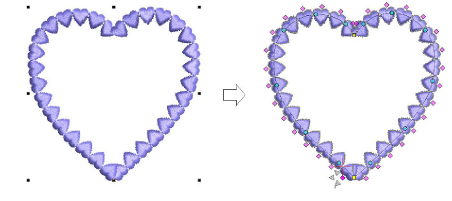
2Adjust object size like any other object using sizing handles.
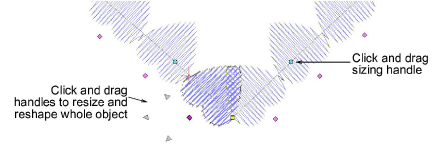
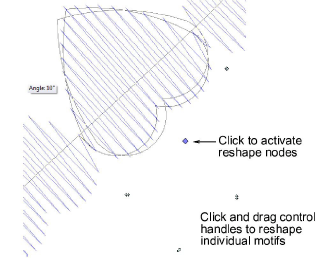
3Click the diamond control point of a motif to activate reshape nodes. Use these to fine-tune individual motifs. Each one can be rotated, skewed, or resized respectively.
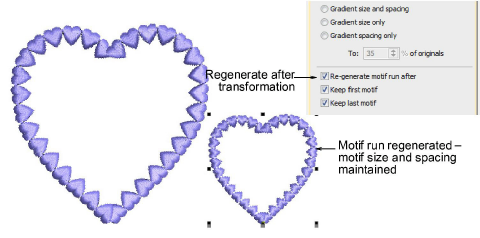
Note: A ‘Regenerate motif run’ checkbox forces the system to regenerate motif runs based on current settings whenever an object is scaled or skewed. When left unchecked, the system will not re-generate and the number of motifs will remain unchanged after the transformation.
4Press Esc to finish.
3Reshaping & Splitting Objects
Products
EmbroideryStudio Add-ons
Solutions
Learning
Support
Connect
About Wilcom
