
You can change the color of consecutive objects of the same color at the same time.
3Select the first object in the sequence to recolor.
3Select Object > Set Color to access the dialog.
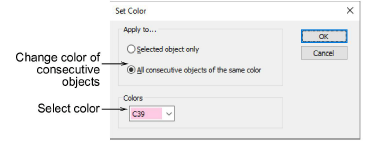
3Select the All consecutive objects... option.
3Select a color from the list and click OK.
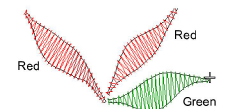
3Select objects with Color-Object List
Products
EmbroideryStudio Add-ons
Solutions
Learning
Support
Connect
About Wilcom
