
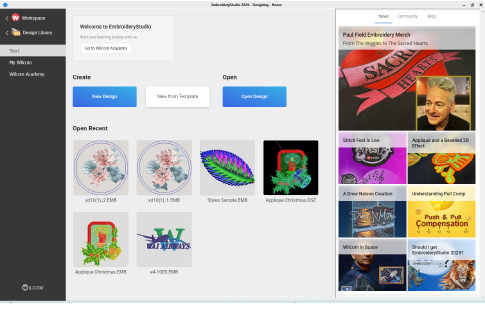
Click Mode > Home to return to the Home screen to get started with a new design, or access tutorials and other product information.
|
|
Click Mode > Home to return to the Home screen to get started with a new design, or access tutorials and other product information. |
The Home screen loads when EmbroideryStudio starts. It offers quick access to recently opened designs as well as value-add content. This may include tutorial videos and the latest Community Forum and Product Blog posts. You can also browse ‘My Wilcom’ which provides details of your Wilcom license – product level, version, plus any compatible or enabled Elements.
Tip: You can deactivate the Home screen from running on startup via the Options dialog. See Other general options for details.
3Create designs from templates
Products
EmbroideryStudio Add-ons
Solutions
Learning
Support
Connect
About Wilcom
