
Use Appliqué > Remove Overlaps to remove underlying layer of stitching in overlapping objects.
|
Use Appliqué > Remove Overlaps to remove underlying layer of stitching in overlapping objects. |
Use the Remove Overlaps command to remove underlying stitching in overlapping objects. This helps to reduce stitch count and prevent a build-up of stitches.
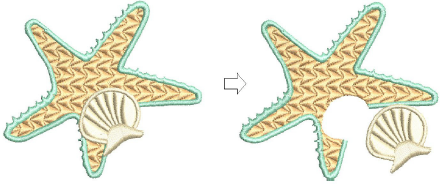
Use the Remove Overlaps feature to maintain shapes but remove the underlying layer of stitching.
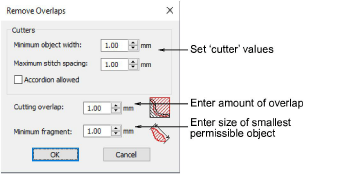
3Removing underlying stitching
Products
EmbroideryStudio Add-ons
Solutions
Learning
About Wilcom

|
Copyright ©2025 Wilcom Pty Ltd | Terms of Use | Privacy Policy |