|
|
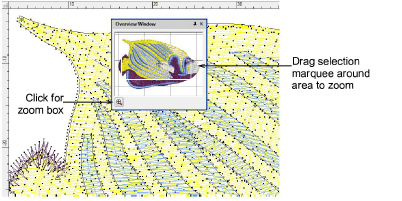
Use Docker > Overview Window to toggle Overview window display on/off. Use it to view a thumbnail of the design. |
|
|
Use Docker > Overview Window to toggle Overview window display on/off. Use it to view a thumbnail of the design. |
Use the Overview Window to view a thumbnail of the design. Use it to pan and zoom the design when working at high zoom factors. Set view settings independently to the design window.
Tip: Use Auto Scroll to scroll the design automatically while you are digitizing. This can be more convenient than using panning or the scroll bars.
|
Copyright ©2024 Wilcom Pty Ltd | Terms of Use | Privacy Policy |