|
|
Use Color > Colorway Editor to modify threads in existing charts. |
There is no specific field for RCC information. However, you can utilize the Code field in the Edit Thread dialog to record and print the station information.
1Click the Colorway Editor icon.
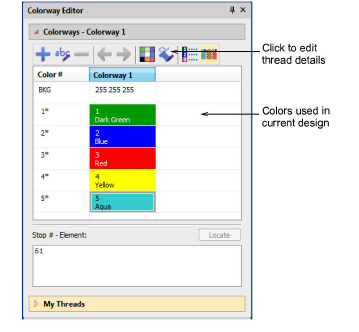
2Select a thread and click Edit Thread.
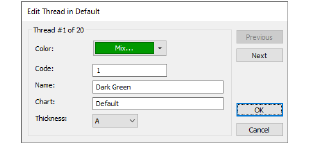
3In the Code field, type the station information you require.
For example, you might enter Station 5. Alternatively, 12/4-2 may be more flexible as it is independent of the particular embroidery machine setup. This information is stored with the design. By using this field, the thread information – brand and color code of thread – can also be printed and preserved in the EMB file.
|
Copyright ©2024 Wilcom Pty Ltd | Terms of Use | Privacy Policy |