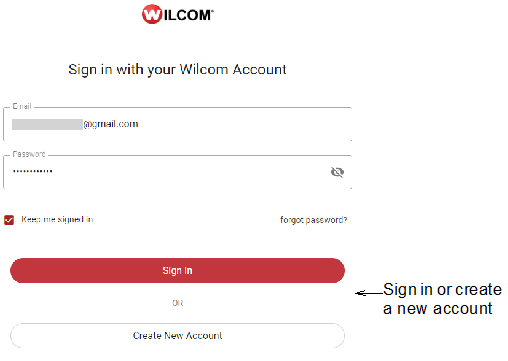
With the release of Wilcom EmbroideryStudio Digital Edition, all EmbroideryStudio users now have a Wilcom User Account. This enables a ‘digital license’ for EmbroideryStudio and replaces the physical dongle. This in turn makes EmbroideryStudio much more flexible and adapted to remote working. Whenever you log in, EmbroideryStudio will load the appropriate software level and registered add-on Elements.
Your Wilcom User Account is also required to validate the warranty and give you access to:
Personalized Wilcom support geared to your product level and registered add-on Elements.
Live and recorded online training (as it becomes available)
Information about product updates, events and special offers.
Questions you may have concerning your Wilcom User Account...
The current product registration relates only to the product and does not establish a user account. You still need to create a Wilcom User Account to register and activate the latest product.
If you already have a WilcomWorkspace account, this will become your Wilcom User Account. If you try to register a new account using the same email address, you will be prompted to sign in with your existing WilcomWorkspace account.
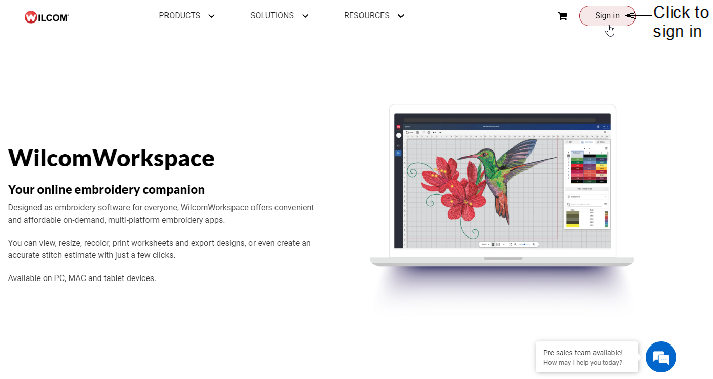
Note: Designed as ‘embroidery software for everyone’, WilcomWorkspace offers convenient and affordable on-demand, multi-platform embroidery apps. You can view, resize, recolor, print worksheets and export designs, or even create an accurate stitch estimate with just a few clicks.
You set up a Wilcom User Account whether or not you purchase. If you decide not to purchase, your registration remains and will be reactivated if you chose to purchase at a later date.
There is one significant difference between a digital license and a dongle license. With the digital license, EmbroideryStudio exports to the cloud. This requires internet access. The main benefits are these...
You can easily log in and out of separate PCs, laptops or Windows tablets and gain access to the same feature set.
You do not need to carry around an expensive dongle that can be damaged. A lost or stolen dongle means buying a new license.
You do not need to insure a digital license.
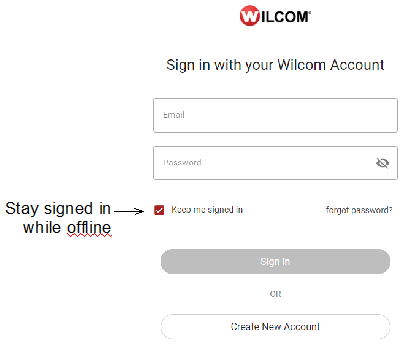
Each licensed copy of EmbroideryStudio is for a single user. You may install it on multiple computers but only one active session can be used at one time. On the Sign-in dialog, tick ‘Keep me signed in’ and you will not have to re-connect to the Internet for 20 days.
Caution: Simply uninstalling the software does not release the license. Select File > Sign Out and Exit before uninstalling.
|
Copyright ©2024 Wilcom Pty Ltd | Terms of Use | Privacy Policy |