|
|
Double-click to start Machine Manager. |
|
|
Double-click to start Machine Manager. |
Machine Manager can be started and closed using the normal MS Windows® options. You can start it from the MS Windows® desktop or from inside EmbroideryStudio.
If EmbroideryStudio is not being used...
Click Windows Start > Apps > Wilcom EmbroideryStudio > Machine Manager.
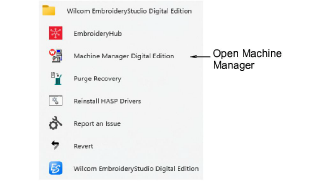
Alternatively, double-click the Machine Manager icon on the MS Windows® desktop. If there is no Machine Manager icon on your MS Windows® desktop, add one by dragging it from the program group to the desktop.
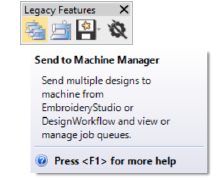
If EmbroideryStudio is being used, use the Legacy Features toolbar to send to Machine Manager.
Select File > Exit, or
Click the x button at the top right of the window.
Note: If any designs are queued, you will be asked whether you want save the queue until the next time you open Machine Manager. We recommend that you save the queue.
|
Copyright ©2024 Wilcom Pty Ltd | Terms of Use | Privacy Policy |